Building with Claude Code: How AI Wrote Most of My App (And Why That's Not the Interesting Part)
Quick Overview
Key Takeaways
- ▶Split planning (Claude chatbot) and building (Claude Code) into two separate conversations
- ▶Feature Briefs are short outcome-focused docs — goal, context, and Out of Scope section
- ▶The less you tell AI how to code, the better it codes — give goals not instructions
- ▶Plan Mode forces AI to read your codebase and write a plan before touching any code
- ▶Fresh sessions prevent context bleed — one feature per session, always
Okay. Deep breath. Here's the part of this series where I admit something that makes some developers twitch: AI wrote most of the code in Mythryx Brain. Not "AI helped me write the code" or "AI suggested some code." An AI coding tool called Claude Code — made by Anthropic, the same folks behind the Claude chatbot — generated the vast majority of the application. The server, the database queries, the frontend components, the tests. Most of it.
And you know what? The app works. It runs 24/7 on a Raspberry Pi. I use it every day. It hasn't caught fire.
But here's the thing nobody tells you when they brag about building with AI: the code isn't the hard part. The methodology is the hard part. Letting AI loose on your project without a system is how you end up with a pile of technically functional spaghetti that works today and breaks tomorrow. I learned this the fun way — by messing it up first, then figuring out a system that actually works.
Let me walk you through that system.
The Two-Chat Workflow: The Single Best Decision I Made
Early on, I realized something important: AI is great at writing code but terrible at deciding what to build. Those are two completely different skills, and mixing them together is a recipe for chaos.
So I split the work into two separate conversations.
Chat 1: The Planning Chat. This is a regular conversation with Claude (the chatbot, on claude.ai). This is where I think through what I want to build, discuss architecture, weigh tradeoffs, and make decisions. The planning chat never writes code. It never touches files. It just thinks.
Chat 2: Claude Code. This is the coding agent that runs in my terminal. It can read my project files, write code, run tests, and execute commands. Claude Code builds things. But it doesn't decide what to build — I've already done that in Chat 1.
Think of it like building a house. Chat 1 is the architect — they draw up the blueprints, choose the materials, and plan the layout. Chat 2 is the construction crew — they show up with tools and follow the blueprints. You wouldn't want your construction crew redesigning the house mid-pour. And you wouldn't want your architect trying to lay concrete.
This separation sounds obvious, but almost nobody does it when they're getting started with AI coding tools. They open one conversation, say "build me a memory app," and wonder why it turns into a mess. I know because that was me, too, before I figured this out.
What the Planning Chat Actually Produces
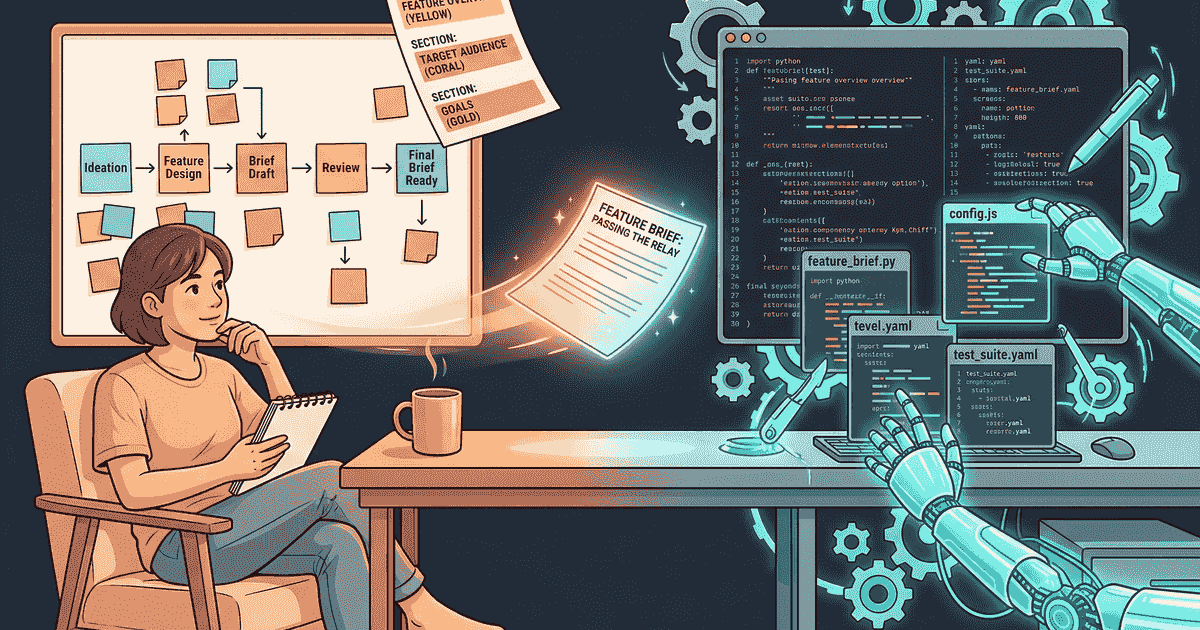
The planning chat doesn't just generate vague ideas. It produces a specific deliverable called a Feature Brief — a short, structured document that tells Claude Code exactly what to build (but not how to build it). Here's what one looks like:
Feature Brief: Task Completion System
Goal: Memories of type "task" can be marked complete, with visual distinction in the feed and a filter to show only incomplete tasks.
Context: The memory type system already supports "task" as a category. The feed component is in
src/routes/+page.svelte.Out of scope: Do not add recurring tasks, subtasks, or due dates. Do not modify any other memory types.
Session start: Read status.md and lessons-learned.md before planning.
That's it. That's the whole thing. Short, focused, and — this is the important part — it tells Claude Code what the outcome should be without telling it how to get there.
Why not tell it how? Because Claude Code is better at figuring that out than I am. It can read my entire codebase, understand the patterns I've already established, and find the right way to implement something. When I tried specifying exactly which files to change and how to change them, I was just getting in its way. It's like giving a skilled chef a recipe for toast — they're going to make better food if you just tell them "make breakfast" and let them work.
The one thing that's absolutely non-negotiable in every Feature Brief? The Out of Scope section. Without it, Claude Code will add features nobody asked for. It's like an eager puppy — "Oh, you want task completion? How about I also add recurring tasks! And subtasks! And due dates! And a calendar view!" No. Bad AI. Just the thing I asked for.
The Evolution: How My Approach Changed Over Time
I didn't start with Feature Briefs. My early prompts were monsters.
In the beginning (what I call my "v2" era), every prompt to Claude Code was a detailed 8-part specification. It included: which files to read first, a requirement to plan before coding, references to specific coding rules, a mandate to write tests before code, detailed technical requirements with file paths, specific verification commands, instructions on which documentation to update, and a full git workflow (branch name, commit message format, create a pull request).
It worked. But it was exhausting. Writing each prompt took almost as long as the feature would have taken to just build manually. I was micromanaging an AI.
Then Claude Code got better. Anthropic added a feature called Plan Mode — where Claude Code explores your codebase, asks you clarifying questions, and writes a full implementation plan before touching any code. It also got better at following project-level rules (stored in a configuration file called CLAUDE.md) without me repeating them in every prompt.
So I evolved. My "v3" era dropped the 8-part specification entirely and replaced it with the short Feature Brief you saw above. The shift was philosophical: instead of "here's exactly what to do," it became "here's the goal, now you figure it out."
The difference was night and day. Features that used to take 8-part prompts and multiple back-and-forth corrections now worked on the first try, because Claude Code was choosing the right approach instead of being forced into mine.
Here's the thing I wish someone had told me at the start: the less you tell AI how to code, the better it codes. Tell it what you want. Tell it what you don't want. Then get out of the way.
Plan Mode: Let the AI Do a Walk-Through First
Plan Mode became the cornerstone of my workflow, and it's worth explaining because it's the thing that made everything click.
When I start a new feature, I don't just paste in a Feature Brief and say "go." I activate Plan Mode first (it's a toggle in Claude Code). In Plan Mode, Claude Code can't write any code — it can only read files, ask questions, and think. It's like making the construction crew walk the job site before they pick up a hammer.
Here's what happens:
- I start a fresh Claude Code session and turn on Plan Mode
- I paste in the Feature Brief
- Claude Code reads through my codebase — poking around in files, checking how existing features work, understanding the patterns
- It asks me clarifying questions if anything's ambiguous
- It writes a detailed implementation plan — what files to create/modify, what tests to write, what the user experience should be
- I review the plan and either approve it or push back
Only after I approve the plan does Claude Code start writing code. And because it spent time understanding the codebase first, the code it writes fits naturally into what's already there.
I can't overstate how much this improved the quality of the output. The "just build it" approach produced technically functional code that was often architecturally awkward — it worked, but it didn't fit. Plan Mode produced code that felt like it belonged in the project.
The Rules File (CLAUDE.md): Your Standing Instructions
Every Claude Code project has a configuration file called CLAUDE.md. Think of it as your standing instructions to the AI — the rules it follows every session, automatically, without you having to repeat them.
My CLAUDE.md covers:
- Code style and formatting preferences
- Testing requirements (TDD workflow, test coverage expectations)
- Documentation that must be updated with every code change
- Commit discipline (conventional commit messages, one feature per branch)
- What to check at session start (status.md, lessons-learned.md)
- Anti-over-engineering rules — don't add features that weren't asked for
The rules file means I don't have to say "write tests before code" in every prompt. I don't have to say "update the changelog." I don't have to say "don't add features I didn't ask for." It's all there. Claude Code reads it at the start of every session and operates accordingly.
Setting this up takes time. But it compounds — every hour you spend on your rules file saves you ten hours of correcting AI behavior later.
The Hard-Won Workflow Rules
Some things I learned by getting them wrong first:
Start fresh, always. When a Claude Code session gets confused, long, or starts going in the wrong direction, the right move is to end the session and start a new one. It feels wasteful. It isn't. A fresh session with a clear Feature Brief will outperform a confused continuation of a bad session every single time.
One feature per session. Don't reuse a session for multiple features. Each feature gets its own fresh Claude Code session. Clean context, no bleed-over from previous work.
Commit constantly. Claude Code sessions can sometimes lose context during long conversations (a process called "compaction" — think of it like the AI summarizing its own notes to save space). If you haven't committed your work and this happens, you can lose changes. Commit after every logical step, not just when the feature is done.
Specific verification, not generic. Never say "run the tests." Say "run this specific command and confirm the output includes these specific values." Generic instructions get generic verification. Specific instructions catch real bugs.
What AI Does Well (And What It Definitely Does Not)
After months of building with Claude Code, here's my honest assessment.
Where it crushed it:
AI is excellent at writing the kind of code that follows patterns. API endpoints, database queries, frontend components, test files — these all have structure and conventions that AI has seen thousands of times. Once I showed Claude Code how my project's patterns worked (through CLAUDE.md and a few early examples), it could generate new features that looked like they were written by someone who'd been on the project for months.
It's also shockingly good at diagnosing bugs. I'd paste in an error message, and Claude Code would trace it back to the root cause faster than I could. Not just "here's a fix" — "here's why this is happening, here are the two issues compounding to create this behavior, and here's how to fix both."
And documentation. When I set up a rule that documentation had to be updated with every code change, Claude Code did it consistently and well. Humans forget to update docs. AI doesn't forget if you tell it not to.
Where it fumbled:
Left to its own devices, Claude Code will write the code first and the tests after — which defeats the whole point of test-driven development (writing tests first so you know what you're building before you build it). I had to create a specific rule ("tdd-workflow") to override this instinct. Without it, tests were an afterthought.
It also has a tendency to add features you didn't ask for. I call this "bonus feature syndrome." Ask for a simple checkbox and you might get a checkbox with animations, a toast notification, a statistics dashboard, and a commemorative poem. The Out of Scope section in every Feature Brief exists specifically to prevent this.
And it doesn't know when to stop or when to ask for help. A human developer would say "I'm not sure about this approach, what do you think?" Claude Code will charge ahead with 70% confidence and build something that's technically functional but architecturally wrong. Plan Mode helps here — it forces Claude Code to show its work before committing to it.
The GPS Analogy: What AI-Assisted Development Actually Feels Like
People ask me "so did you even do anything, or did the AI do it all?" and I get why. From the outside, it looks like I told a robot to build an app and it did.
Here's a better way to think about it: AI-assisted development is like using GPS navigation.
The GPS tells you where to turn. It calculates the route. It recalculates when you miss an exit. But you're still driving the car. You decided where to go. You know why you're going there. You make judgment calls when the GPS says to turn into a lake (it happens). And if the GPS loses signal, you can still navigate — maybe slower, maybe with a few wrong turns, but you know enough about where you are and where you're going.
That's what building with Claude Code felt like. I decided what to build, why to build it, and how it should work at a high level. I caught mistakes, pushed back on bad ideas, set the rules, and maintained quality. Claude Code handled the typing and a lot of the problem-solving. But the app is mine — the decisions that make it what it is came from a human brain, not an AI one.
Could I have written all the code myself? Some of it, eventually, with a lot of studying. But Claude Code turned a project that might have taken me a year into something I built in weeks. That's not cheating — that's using tools well.
Try This: The Beginner Version of This Workflow
If you want to start building something with AI coding tools, here's the simplified version of my system:
Step 1: Plan in one place, build in another. Use regular Claude (or ChatGPT, or whatever AI chatbot you like) to think through what you want to build. Write down the features, draw the flow, make decisions. Don't ask it to write code.
Step 2: Write short, clear briefs. For each feature, write down: what it should do (one sentence), why it matters (one sentence), and what it should NOT do (the list of things to leave out). That last part is the most important.
Step 3: Let the AI explore first. Don't tell it which files to change. Describe the outcome you want and let it figure out the approach. If it asks questions, answer them. If it shows you a plan, review it before saying "go."
Step 4: Fresh starts over corrections. If something goes wrong, don't keep arguing. Start a new conversation. It's faster and produces better results than trying to fix a confused AI.
Step 5: Check the work. Don't assume the code is right because the AI said it is. Run it. Test it. Click through it. Open it on your phone. The AI is your fastest coder, but you're the quality inspector.
That's it. You don't need the full 8-element prompt template I started with. You don't need custom rules files or specific development skills. Start simple, build your own system as you learn what works, and iterate.
Just like I did.
What's Next
In the next post, we're getting into the actual build diary — Week 1, where I intentionally built zero AI features for an "AI-powered app." Sounds contradictory? It's not. It's the reason the rest of the project worked. Foundation first, intelligence later.
This is Part 3 of the "Building My Second Brain" series. Part 1: Why I'm Building a Personal Memory App covers the origin story. Part 2: The Architecture breaks down the tech stack.
Frequently Asked Questions
What is Claude Code?
Claude Code is an AI coding tool made by Anthropic that runs in your terminal (the command-line interface on your computer). Unlike a chatbot that just suggests code in a conversation, Claude Code can actually read your project files, write code directly into them, run tests, and execute commands. Think of it as an AI developer that sits inside your project and works alongside you. It's currently available through Anthropic, and pricing is based on usage — you pay for the AI processing time, not a flat subscription.
Can AI build a full app, or does it only work for small tasks?
AI can build a full app — I'm living proof. But "can" and "should you just let it run wild" are very different things. AI coding tools work best when you give them clear goals, explicit boundaries, and review their work at every step. The methodology matters more than the tool. Without structure, you'll get a pile of code that works sometimes. With structure (like the two-chat workflow and Feature Briefs described above), you get a maintainable application.
Do I need to know how to code to build with AI?
You don't need to be a professional developer, but you do need to understand what you're building. You need to be able to read code well enough to spot obvious problems, understand basic concepts like databases and APIs (at least at a high level), and — most importantly — you need to be able to think through what your app should do before you ask AI to build it. The planning is the human job. The typing is the AI job. If you're starting from zero, I'd recommend learning the basics of HTML, JavaScript, and how web apps work before jumping into AI-assisted development. It'll make the whole process dramatically more productive.