Week 1: Why I Built Zero AI Features for My "AI-Powered" App
Quick Overview
Key Takeaways
- ▶Build infrastructure and foundation before any AI features — debug one layer at a time
- ▶Design your database schema for features you haven't built yet
- ▶Automated tests are essential, but actually using your app catches different bugs
- ▶AI will sometimes remove rules it considers redundant — always review governance files
- ▶Commit after every step, not every feature
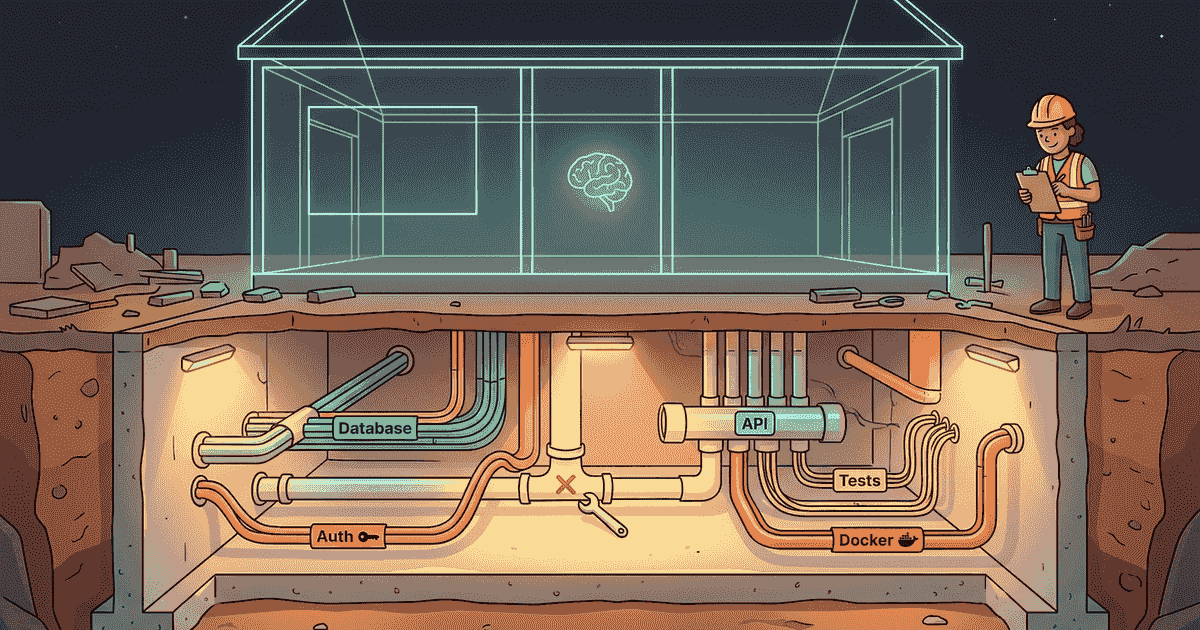
I know what you're thinking. "You're building an AI app and you spent the entire first week without any AI in it?" Yep. Not a single smart feature. No automatic categorization. No semantic search. No embeddings. Nothing that would make you go "ooh, AI."
Instead, I spent Week 1 building the plumbing. The pipes, the wiring, the foundation slab. The stuff nobody sees when they use the app, but everything breaks without.
It was the least exciting and most important week of the entire project.
The 7-Step Plan (And Why the Order Matters)
Before writing a single line of code, I had a plan. Seven steps, in a specific order, each one building on the last. The order wasn't random — it was deliberate, and getting it right saved me from a world of pain later.
Step 1: Docker infrastructure. Before any app code, get the infrastructure running. Set up Docker Compose with PostgreSQL (the database) and Redis (the job queue). This is like pouring the foundation of a house before framing the walls. I could verify the database worked, poke around in it, and confirm everything was solid before writing a single line of application code.
Step 2: Backend API server. Set up Fastify (the web server) with a single health check endpoint — basically a "hello, I'm alive" button. One endpoint. That's it. But now I knew the server could start, accept requests, and respond.
Step 3: Frontend shell. Build the SvelteKit frontend — the thing you actually see in the browser. A basic app shell with a home page and a health indicator that shows whether the backend is connected. No real functionality yet. Just the skeleton.
Step 4: Database schema. Design and create all the database tables — users, memories, tags, categories, people, and the junction tables that connect them. This is where I made a decision that paid off huge later: I included columns for AI features that didn't exist yet. The embedding column (for storing those 384-number meaning fingerprints), the status column (processing/ready/error), the source column (text/voice/photo). None of these did anything in Week 1. But when Week 2 rolled around and I started adding AI, those columns were already there waiting. Zero database changes needed.
Step 5: Authentication. User registration and login with JWT tokens (basically a secure way for the app to know who you are). Access tokens that expire after an hour, refresh tokens that last 30 days. A deliberate single-user guard — the first person to register owns the app, and nobody else can sign up after that. This is a personal memory app, not a social network.
Step 6: Memory CRUD. The core API for creating, reading, updating, and deleting memories. Nothing fancy — you send text, it stores it. You ask for your memories, it returns them. You delete one, it's gone. But every endpoint is validated (no garbage data gets in), protected by authentication (no unauthorized access), and tested.
Step 7: Wire it all together. Connect the frontend to the backend. Login page, memory creation page, home feed showing all your memories as cards, detail page for each memory with edit and delete buttons. The complete loop: type a memory → save it → see it on the feed → tap to view → edit or delete.
Seven steps. One week. And at the end of it, I had a fully functional app that did everything except think.
The Moment It Clicked
Step 7 was where it all came together, and I won't lie — there was a moment.
I registered a username and password. Logged in. Navigated to the "new memory" page. Typed in 10 test memories — things like "Mom likes lavender candles," "the camping gear is in the garage," "Jake recommends Balvenie 14 Caribbean Cask." Hit save on each one.
Then I went back to the home feed.
And there they were. Ten cards, dark theme, clean layout, each showing a preview of the memory text with a timestamp. I could tap any card to see the full detail. I could edit. I could (eventually) delete — but we'll get to that.
It wasn't pretty in the way a finished product is pretty. But it was real. Data going in, data coming out, a full loop from my thumbs to the database and back. A week earlier, none of this existed.
Now, was this useful yet? Honestly? Not really. Without AI, it was basically a note-taking app with extra infrastructure. You could create memories and list them, but you couldn't search by meaning, the app didn't categorize anything, and there was no intelligence at all. Search was a placeholder page that literally said "Semantic search coming soon."
But that's the point. The foundation had to be boring before the intelligence could be exciting.
The Delete Bug: My First Real Problem
Here's a fun one. Everything in Step 7 worked perfectly... except delete. I'd click the delete button on a memory, and nothing happened. No error message, no feedback, the memory just sat there staring at me.
This is the kind of bug that teaches you something. The issue wasn't one thing — it was two things compounding.
First, the frontend was sending a Content-Type: application/json header on the delete request, even though there was no data in the request body. This is like addressing an envelope and leaving it empty — technically harmless, but it confused the mail carrier.
Second, the backend was silently swallowing the error instead of telling the frontend something went wrong. So from the user's perspective, you clicked delete and... nothing. No error. No feedback. Just a memory that refused to die.
The fix was a two-part approach: stop the frontend from sending unnecessary headers on empty requests, and add a safety net on the backend that strips Content-Type from any request that doesn't have a body. Belt and suspenders. I also added visible error feedback so if something goes wrong in the future, the user actually sees a message instead of staring at a stubborn memory.
The lesson? Test everything by actually using it. I found this bug not by running automated tests (they all passed) but by clicking the delete button like a real person would. Automated tests are essential, but they don't replace actually using your own app.
The CLAUDE.md Incident: When AI Tried to Remove Its Own Rules
Here's a story that perfectly illustrates why human oversight matters, even when AI is doing good work.
I mentioned in the last post that every project has a configuration file called CLAUDE.md that tells the AI coding tool how to behave — your project's rules. It includes things like coding standards, documentation requirements, testing expectations, and workflow discipline.
Well, partway through Week 1, I asked Claude Code to update the CLAUDE.md file with some new workflow improvements. It added good stuff — Plan Mode instructions, PR creation steps, better skill matching. But in the process, it quietly removed several rules it apparently decided weren't important.
Rules like:
"For long tasks, commit frequently — context may compact on long sessions." (This is critical because the AI can lose track of changes during long conversations.)
"Documentation is NOT optional. It is part of the definition of 'done' for every task." (This enforcement keeps project documentation alive.)
Specific triggers for when to update each documentation file — architecture decisions, deployment changes, lessons learned, changelog entries.
I caught it immediately. Something felt off about the updated file, so I compared it against what was there before. Sure enough, important guardrails had been cut.
I pushed back. Instead of accepting the partial update, I requested a full merged version that kept every original rule while adding the new improvements. The final CLAUDE.md was stronger than either version alone.
The lesson here goes beyond this one incident: AI will optimize for what it thinks matters, and sometimes it's wrong. The rules it removed were "boring" — commit discipline, documentation maintenance, enforcement language. The AI probably figured they were redundant or unnecessary. But those boring rules are what keep a project professional over time. They're the difference between a project that's maintainable six months from now and one that's a mystery even to the person who built it.
Always review what AI changes in your governance files. Those are the rules that protect you.
Why No AI in Week 1? The Strategic Reason
I could have tried to add AI from day one. Start with the cool stuff. Embeddings, categorization, semantic search — the features that make Mythryx Brain actually interesting.
But here's what would have happened:
Every AI feature needs infrastructure to work. Embeddings need a database column with the right index type. Categorization needs a background job queue. The AI pipeline needs a working API to receive results and write them back. And all of that needs authentication so only authorized users can trigger it.
If I'd tried to build AI features and infrastructure at the same time, I'd be debugging two layers simultaneously. Is the search broken because the embedding is wrong, or because the database query is wrong, or because the API endpoint isn't wired up correctly? When you build everything at once, you can't tell what's broken because nothing works yet.
By building the foundation first, I had a known-good baseline. When I added the embedding service in Week 2, I could test it against memories that were already reliably stored and retrievable. When the categorization pipeline started writing results back to the database, I knew the database was solid. When semantic search combined keyword matching with vector similarity, I could compare the results against the basic keyword search that was already working.
Foundation-first means you can test each new layer against a layer that's already proven to work. It's boring. It's methodical. And it's why Week 2 went smoothly.
The 49 Tests That Saved Me
By the end of Week 1, the project had 49 automated tests. Every API endpoint, every authentication flow, every edge case I could think of — registered, login failure, expired tokens, creating memories with missing fields, pagination, filtering.
Forty-nine tests might sound like a lot for a Week 1 foundation. And it is. But here's the thing: those tests became my safety net for the entire rest of the project.
Every time I added a new feature in later weeks, I'd run the test suite first to make sure the foundation was still solid. If something broke, I caught it immediately — before the new code piled on top and made the problem harder to find. It's like checking the foundation for cracks before adding another floor to the building.
The testing approach was TDD — test-driven development — which means writing the tests before writing the code. You describe what the code should do, confirm that the test fails (because the code doesn't exist yet), then write the code to make it pass. It feels backwards the first few times, but it forces you to think about what you're building before you build it. And when AI is writing the code, this matters even more — the tests are your proof that the AI built what you actually asked for, not what it assumed you wanted.
What I'd Tell Beginner-You to Do Differently
If you're planning to build something — whether it's a memory app, a personal project, or anything else — and you're going to use AI assistance, here's my advice from Week 1:
Start boring. I know you want to jump to the exciting features. Resist. Spend your first session getting the infrastructure running, the database set up, and a basic "hello world" endpoint working. This takes a day, not a week, and it saves you from a week of debugging later.
Plan for features you haven't built yet. When I designed my database schema, I added columns for AI features that wouldn't exist for another week. When those features arrived, the database was ready. Think about where your project is going, not just where it is today.
Use your app, don't just test it. Automated tests are great. But clicking the delete button yourself and watching nothing happen? That's how you find the bugs that matter. Be your own first user.
Don't trust automation blindly. The CLAUDE.md incident taught me that AI will sometimes "improve" things by removing rules it doesn't value. Review everything, especially configuration files, documentation, and anything that governs how your project works.
Commit after every step. Not after every feature. After every step. If something goes wrong — and it will — you want to roll back to the last known-good state, not start the whole day over.
What's Next
Week 1 gave me a solid foundation: working infrastructure, a real database, authentication, a complete CRUD API, a functional frontend, and 49 tests to keep it all honest. But at this point, Mythryx Brain was just a note-taking app with good plumbing.
In the next post, we add the brain. Embeddings, AI categorization, semantic search — the features that make Mythryx Brain actually feel alive. That's where a "save a note" app starts feeling like a "it actually understands what I'm thinking" app.
And yes, things break. Stay tuned.
This is Part 4 of the "Building My Second Brain" series. Part 1: The Origin Story | Part 2: The Architecture | Part 3: Building with Claude Code
Frequently Asked Questions
What is foundation-first development?
Foundation-first development means building all the infrastructure, database, authentication, and basic functionality before adding the features that make your app unique. For Mythryx Brain, that meant a full week of Docker setup, database schema design, API endpoints, and frontend wiring before touching any AI. The benefit is that each "smart" feature you add later can be tested against a proven, working baseline — so when something breaks, you know the problem is in the new code, not the plumbing underneath it.
How long does it take to build an MVP foundation?
For Mythryx Brain, the foundation took about a week of focused work broken into 7 sequential steps, each building on the last. With AI assistance (Claude Code handling the code generation), each step took a few hours. Without AI, the same work would probably take 2-3 weeks depending on experience level. The key insight is that the time invested in foundation work saves multiples of itself in debugging time later. My Week 2 AI integration went smoothly specifically because Week 1 was thorough.
Should I use AI features from Day 1 in my app?
Generally, no. Building AI features on top of unproven infrastructure means that when something breaks — and it will — you can't tell whether the AI logic is wrong or the plumbing underneath it is wrong. This creates debugging nightmares. Build the foundation first, verify it works end-to-end with basic features, then layer intelligence on top. The AI features become dramatically easier to implement and debug when they're plugging into a system you already trust.